
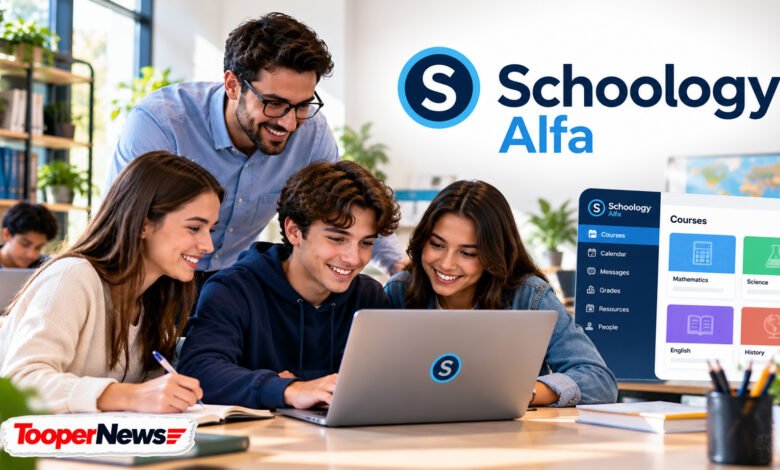
Digital learning has become an important part of modern education, helping students and teachers stay connected beyond traditional classrooms. One name that often appears in searches about online education is Schoology Alfa. Students may encounter this term while looking for assignments, checking academic progress, or trying to access their school accounts. Although the name sounds like a separate educational application, it generally refers to a Schoology learning environment associated with Alfa Fundación, an educational organization in Mexico.
Schoology Alfa brings attention to a larger idea: making education more organized, accessible, and manageable through digital tools. The underlying Schoology Learning platform supports course materials, assignments, assessments, grades, and communication between educators and learners. However, individual institutions decide which features their users can access. This guide explains what Schoology Alfa is, how the login process works, its main features, benefits for students and teachers, and practical ways to use the platform effectively.
What Is Schoology Alfa?
Schoology Alfa refers to an institution-specific learning environment associated with Alfa Fundación, an educational organization based in Monterrey, Mexico. The environment uses Schoology Learning, a learning management system developed and offered by PowerSchool. Instead of being a completely independent application, it provides an educational setting where authorized users can access online learning resources. Schoology helps institutions manage coursework, distribute assignments, organize academic materials, and support communication. Its exact features and appearance depend on the settings chosen by the educational organization.
An important distinction is that Schoology Alfa is not a separately confirmed software edition of Schoology. The term connects an educational institution with the existing learning management platform. Some online descriptions suggest that it is a new or advanced version of Schoology, but official product information does not establish that claim. Understanding this difference helps students find the appropriate login portal, avoid misleading websites, and recognize which features belong to Schoology itself rather than a special Alfa-branded product.
Background and History of Schoology Alfa
The background of Schoology Alfa involves two separate organizations: Schoology and Alfa Fundación. Schoology began as an educational technology platform designed to support digital classroom management. PowerSchool acquired Schoology in 2019 and continued offering its learning management technology to educational institutions. Over time, Schoology became a recognized platform for organizing classroom activities, sharing learning materials, managing assessments, and supporting communication between schools and families. Its tools can support traditional classroom instruction as well as online and blended learning arrangements.
Alfa Fundación operates educational programs focused on developing academically talented students, particularly those facing economic disadvantages. Its educational work is based in the Monterrey metropolitan area and includes opportunities for academic development and continued learning. The foundation has an institution-specific Schoology portal associated with its educational environment. However, the exact date when Alfa Fundación first adopted Schoology is Not publicly confirmed. The foundation’s educational history should therefore not be confused with the launch date of its Schoology environment.
How to Access Schoology Alfa Login
Accessing Schoology Alfa starts with identifying the correct educational portal. The Alfa Fundación Schoology environment is associated with the institutional address alfafundacion.schoology.com. Students should use the login instructions provided by their school or program administrator rather than relying on unfamiliar third-party websites. The portal may direct users to an institutional authentication service, where they must enter their approved account credentials. Depending on the organization’s configuration, the login process may involve a school-managed Microsoft account or another supported authentication method.
After successfully signing in, users can access the courses and educational resources assigned to their accounts. If a student cannot log in, checking the username, password, and official portal address is a sensible first step. Browser-related issues can sometimes be resolved by refreshing the page or trying another supported browser. However, account permissions, forgotten institutional passwords, and enrollment problems may require assistance from school administrators. Students should never share their passwords or enter credentials into unofficial login pages.
Key Features of Schoology Alfa
The Schoology Learning platform includes several tools that help educational institutions organize academic activities. Teachers can create courses, upload documents, publish announcements, prepare assignments, and manage assessments. Students can access available learning materials, review assignment instructions, participate in permitted discussions, and submit completed work online. Schoology also supports gradebooks and feedback, allowing educators to communicate academic performance. These features reduce the need to manage coursework across multiple disconnected systems and provide a more structured digital classroom experience.
Another useful feature is the ability to organize educational activities through course calendars, updates, and notifications. Depending on account permissions, users may receive reminders about assignments or important classroom information. Teachers can structure learning materials into folders and organize resources by subject or lesson. Schoology also supports communication and collaboration tools that can encourage classroom interaction. However, not every Schoology feature is necessarily enabled in the Alfa Fundación environment. The exact tools available to individual users depend on institutional settings and course-level permissions.
Benefits of Schoology Alfa for Students
One of the main benefits of Schoology Alfa is convenient access to educational information. Instead of depending entirely on classroom announcements or printed materials, students can use their assigned online courses to review available resources and instructions. This can be particularly useful when preparing for assessments, completing homework, or revisiting lessons. Having coursework organized within a learning platform may also help students understand academic expectations and manage their responsibilities more independently, especially when teachers consistently update course information.
Schoology can also support better communication between students and educators. When messaging, discussions, and feedback tools are available, learners can ask questions, review teacher comments, and participate in educational conversations. Access to assignment deadlines and course calendars can encourage stronger time-management habits. However, the platform does not automatically improve academic performance. Students still need regular study routines, active participation, and support from teachers. Digital tools are most effective when they complement clear instruction and consistent learning habits.
How Schoology Alfa Helps Teachers and Educational Institutions
Teachers can use Schoology to manage different parts of their classroom work from a centralized environment. They may publish learning materials, create assignments, prepare assessments, and provide feedback without relying entirely on printed documents. This organization can make course content easier to maintain and update. Educators can also use supported grading tools to monitor submitted work and communicate academic expectations. For teachers managing several classes, a consistent digital structure can simplify routine administrative tasks and make educational resources easier to locate.
Educational institutions can benefit from having a shared system for delivering coursework and supporting academic communication. Administrators can manage access, permissions, and other platform settings according to organizational requirements. A learning management system may also support blended learning, where classroom teaching is combined with online educational activities. Nevertheless, successful implementation requires more than software. Schools need appropriate technical support, clear user instructions, reliable connectivity, and teacher training to ensure students and educators can use the available tools effectively.
Schoology Alfa Mobile Access and Learning Flexibility
Schoology Learning supports mobile access, allowing students and teachers to interact with educational content through compatible devices. The official Schoology mobile application can provide access to courses, announcements, assignments, and other supported functions. This flexibility is helpful for students who need to review classroom information away from a desktop computer. However, mobile functionality can differ from the browser experience, and certain activities may work better on a laptop or desktop. A separate mobile application developed specifically for Schoology Alfa is Not publicly confirmed.
Mobile access can also help students develop more consistent study habits. For example, checking upcoming assignments during a daily study session may reduce the chance of overlooking important deadlines. Students should keep their devices updated, use secure internet connections, and avoid sharing account information. They should also remember that Schoology is primarily an educational platform, not a social media network. Its communication features are intended to support academic activities, and access depends on the policies established by the institution.
Common Schoology Alfa Problems and Solutions
Like other online learning platforms, Schoology Alfa users may occasionally experience technical difficulties. Common issues can include unsuccessful login attempts, missing courses, unavailable assignments, slow page loading, or problems submitting files. Some difficulties may result from browser settings, internet connectivity, or account permissions. Before contacting technical support, students can check their connection, confirm that they are using the correct account, and refresh the platform. If an assignment does not appear, they should also check whether the teacher has published it.
When basic troubleshooting does not solve the problem, contacting the appropriate teacher or school administrator is usually the safest approach. Institutional support staff can investigate account restrictions, enrollment errors, and authentication issues that students cannot fix themselves. Users should avoid unofficial websites offering password recovery or account unlocking services. Protecting personal information is especially important when accessing educational systems. If a technical problem prevents an assignment submission, students should inform their teacher promptly and follow the institution’s instructions for reporting the issue.
The Future of Schoology Alfa and Digital Education
Learning management systems continue to play an important role in how schools organize education. Platforms such as Schoology allow institutions to combine classroom teaching with digital resources, online assignments, and structured communication. As educational technology develops, schools may explore additional ways to improve accessibility, assessment, and collaboration. However, specific future upgrades or new features planned for the Alfa Fundación Schoology environment are Not publicly confirmed. It would be inaccurate to describe unannounced artificial intelligence tools or other advanced features as existing Schoology Alfa capabilities.
The long-term value of Schoology Alfa depends on how effectively educators and students use the platform. Clear course organization, accessible learning materials, reliable technical support, and consistent communication can all contribute to a better educational experience. Alfa Fundación’s broader mission focuses on expanding educational opportunities and supporting talented students through their academic development. A well-managed digital learning environment can complement that mission by making coursework easier to organize and educational information more convenient to access.
Conclusion
Schoology Alfa is best understood as a Schoology-based learning environment associated with Alfa Fundación rather than a separate educational software product. It connects the familiar tools of Schoology Learning with an institution-specific academic setting. Students can potentially benefit from organized assignments, learning materials, assessments, and communication, while teachers can use the platform to manage coursework and provide feedback. Actual access and available features depend on the institution’s configuration.
For anyone using Schoology Alfa, the most important steps are accessing the correct portal, following school instructions, protecting account credentials, and checking course information regularly. With consistent use and appropriate educational support, the platform can help make digital classroom activities more organized and manageable.
Frequently Asked Questions (FAQs)
1. What is Schoology Alfa used for?
Schoology Alfa refers to a Schoology learning environment associated with Alfa Fundación. It can support online coursework, assignment management, educational resources, assessments, and communication between students and teachers. The exact functions available depend on institutional settings.
2. How can I log in to Schoology Alfa?
Authorized users should visit the Alfa Fundación Schoology portal at alfafundacion.schoology.com and follow the displayed institutional login instructions. Students who experience account problems should contact their school administrator.
3. Is Schoology Alfa free for students?
Schoology Alfa is not a separately confirmed paid software product. Alfa Fundación operates educational programs, including a tuition-free high school. However, the specific account-access requirements and any separate charges associated with its Schoology environment are Not publicly confirmed.
4. Can parents access Schoology Alfa?
Schoology Learning supports parent accounts and family engagement features. However, whether Alfa Fundación provides parent access, and which information parents can view, depends on its institutional policies. Alfa-specific parent account availability is Not publicly confirmed.
5. Is Schoology Alfa different from regular Schoology?
Schoology Alfa uses the underlying Schoology Learning platform associated with PowerSchool. The Alfa name identifies a particular educational environment rather than an officially documented separate software edition. Its login process, course content, and available features may differ from those of other institutions using Schoology.